Links
Links can be used to sell a single Game to customers. After Check-out and after we confirmed the payment, customers will receive their Access Code automatically on a confirmation screen, as well as via Email.
Create a new Link
To create a new Game click '+ New Game' in the right upper corner.
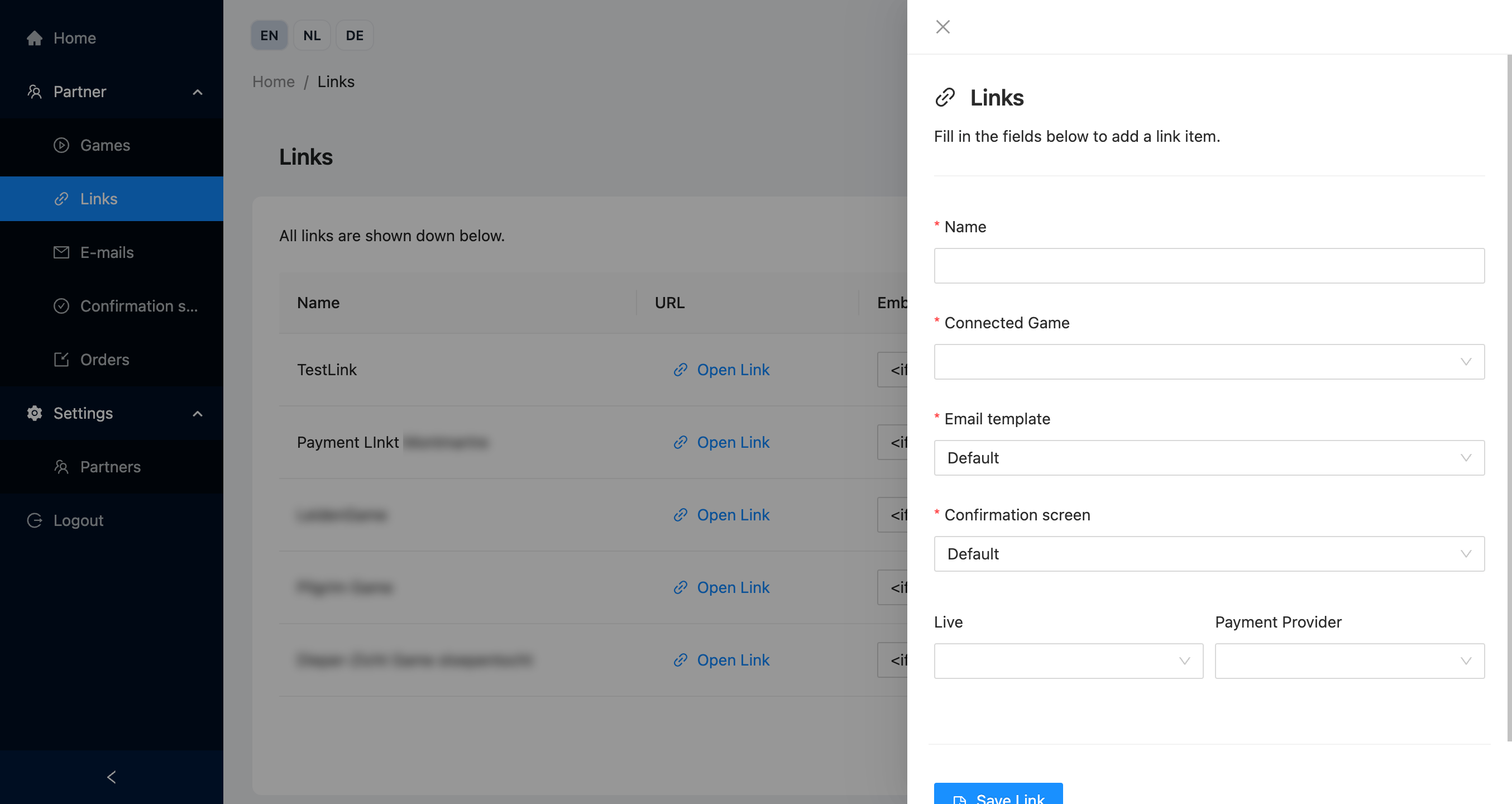
Name
A name for the Link. It's the title of the page and is visible for the user.
Connected Game
The Game that you are selling via the Link. This determines the price, VAT rate etc.
Email template
The Email template that the customer receives after the order was processed.
Confirmation screen
The Confirmation screen that the customer is shown, after the order was processed.
Live
If the Link is active or not.
Available options:
- Live - The Link is available and payments are handled using real transactions. Purchases are counted as usage an invoiced by Caught (costing actual money!)
- Test - The Link is available and payments are handles using test transactions. Purchases are not counted as usage by Caught.
- Not live - The Link is not accessible and therefore will show an error message when you try to open it.
Payment provider
The payment provider that is used for orders from the Partners' partner shop. Depends on the available Payment Methods set up under your account.